

© 2025
Minh Truong Portfolio



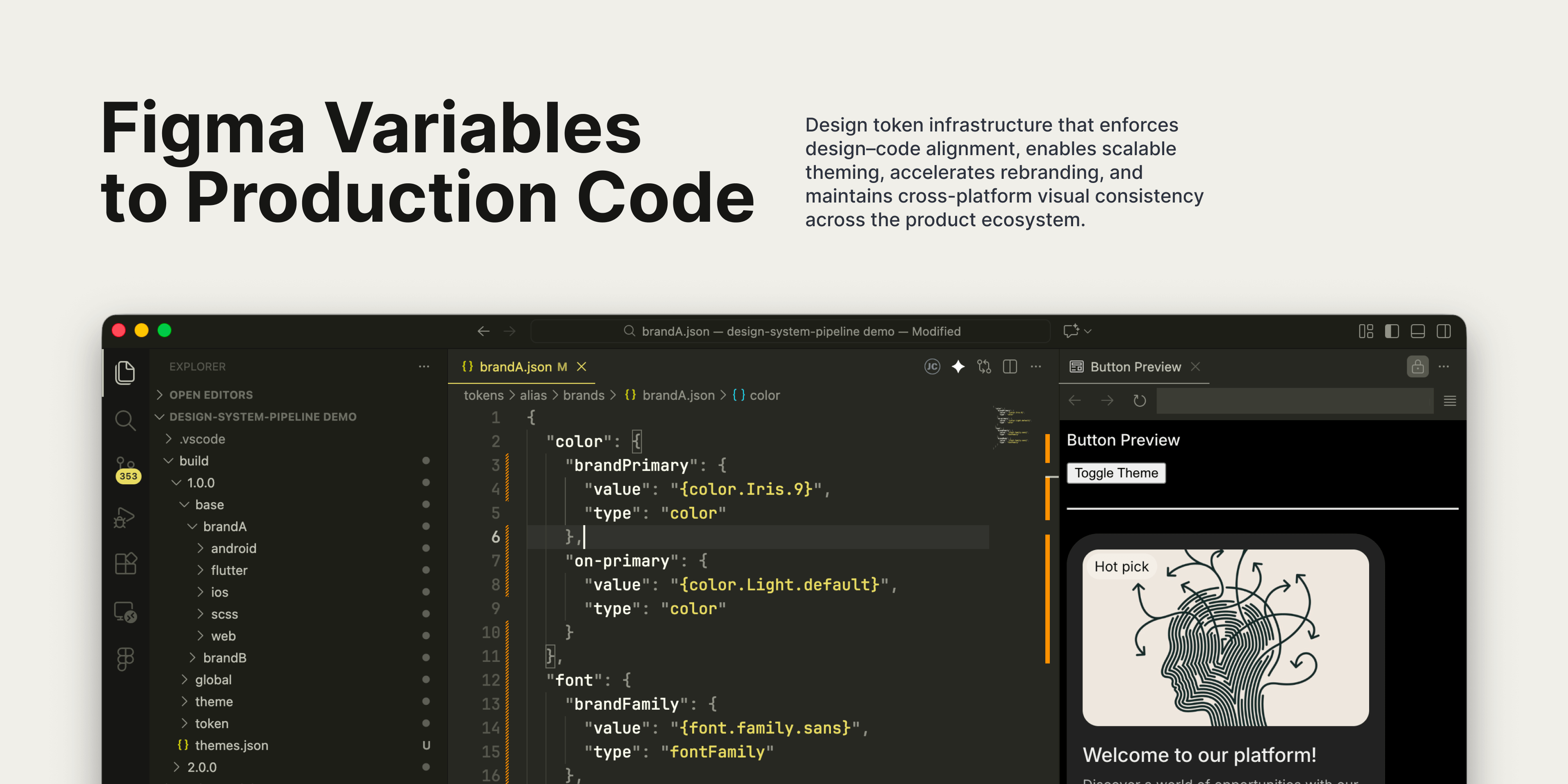
This side project explores a practical problem many product and design system designers face: Figma variables data stop at design, while products ship in code. Between those two points, inconsistencies appear—units drift, naming breaks, and intent gets reinterpreted.
The project documents how I built a small, repeatable pipeline that turns Figma variables data into production-ready design tokens across Web, iOS, Android, and Flutter. The goal is not automation for its own sake, but alignment and business agility through automated theming:
What users see and what we build is the visible layer and component layer: buttons, forms, motion, layouts, full screens. This is the interaction surface and where most design and engineering effort is spent.
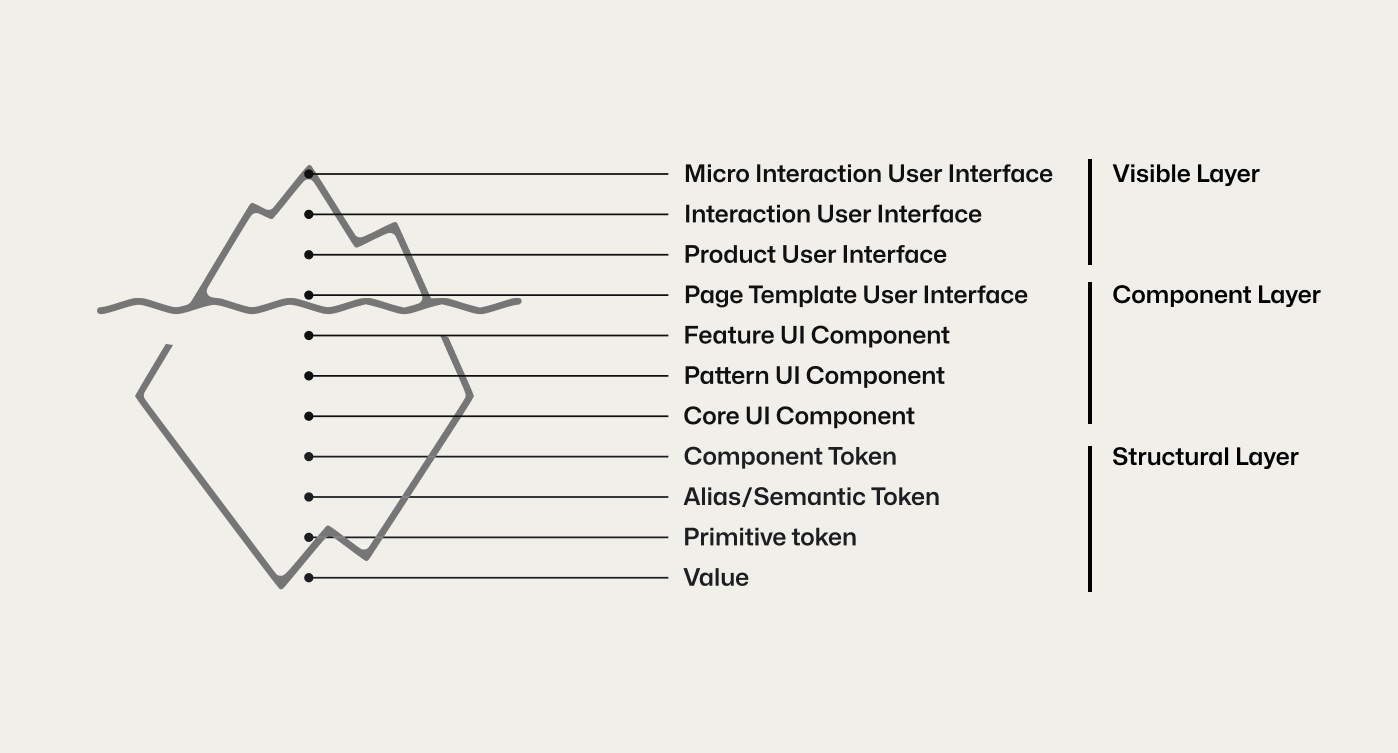
Below it is the structural layer. This layer determines consistency, scalability, and maintainability. This is where design rules live: tokens (primitive, semantic, component) and raw values. These are treated as an architecture decision, not a design detail.
Without a strong connection between these layers, predictable failures appear:
The outcome is a polished surface built on an unstable system.
This gap between the visible surface and the structural layer is the core system failure. Solving it requires an explicit bridge that translates design intent into deterministic implementation. That bridge is a unified token pipeline.
Transformers like Style Dictionary convert token JSON into CSS, Swift, and Android XML. Raw Figma output is not suitable for this step because it mixes design intent with tool-specific and ambiguous values.
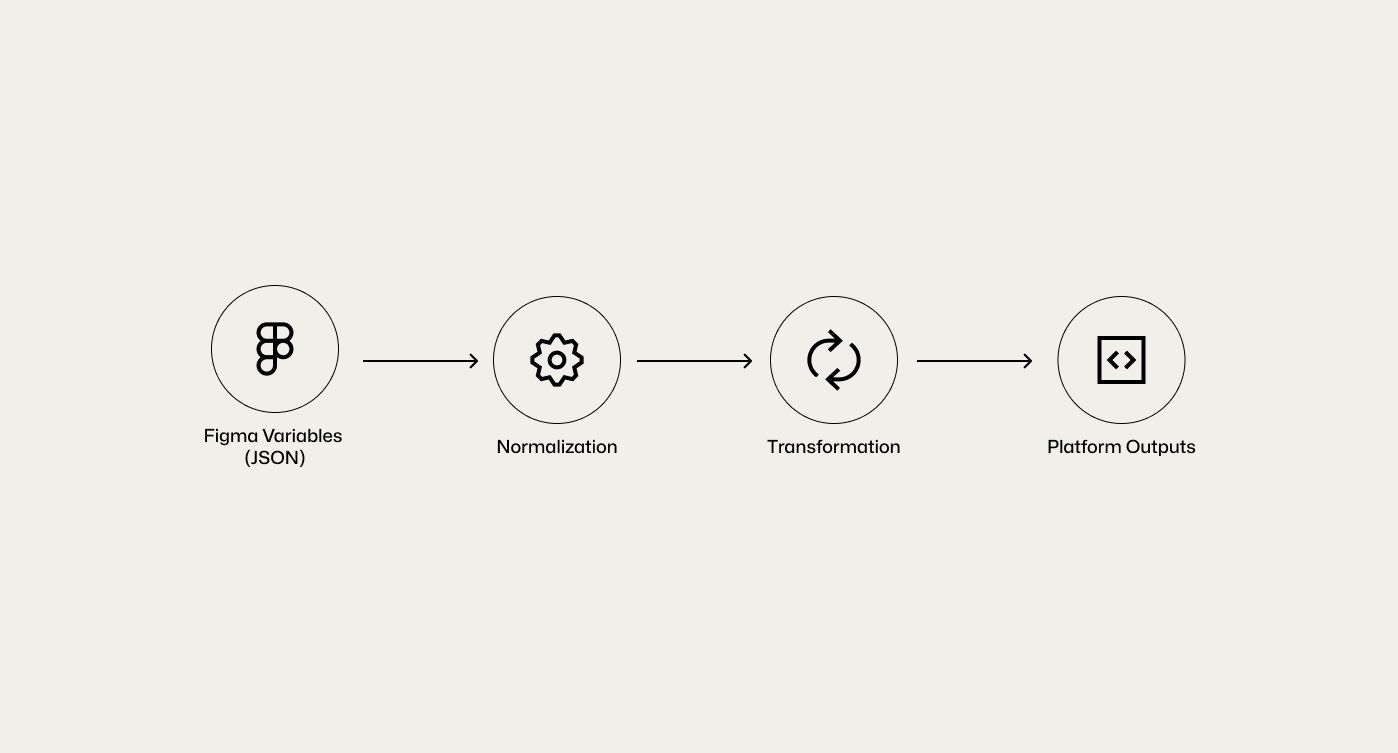
A normalization layer is inserted before platform transformation. It converts Figma data into stable, semantic, platform-agnostic tokens. Only normalized tokens are then transformed into code.
This separation makes the system predictable, scalable, and free of manual fixes.
Each stage of the pipeline is designed with a clear separation of concerns to maintain a scalable Source of Truth:
This unified pipeline bridges the gap between design and production, delivering a system that scales with accuracy and reliability. By removing tight coupling, the architecture remains maintainable as your design tools and engineering frameworks evolve, ensuring 100% consistency across brands and platforms.
The unified pipeline bridges design and production, delivering scalable accuracy and reliability, but it directly addresses a core challenge.
Design intent and implementation are conflated in a flat token structure, making it difficult to carry design decisions into production without losing meaning or efficiency. The lack of a semantic layer forces components to reference primitive values directly, tightly coupling UI decisions to raw tokens.
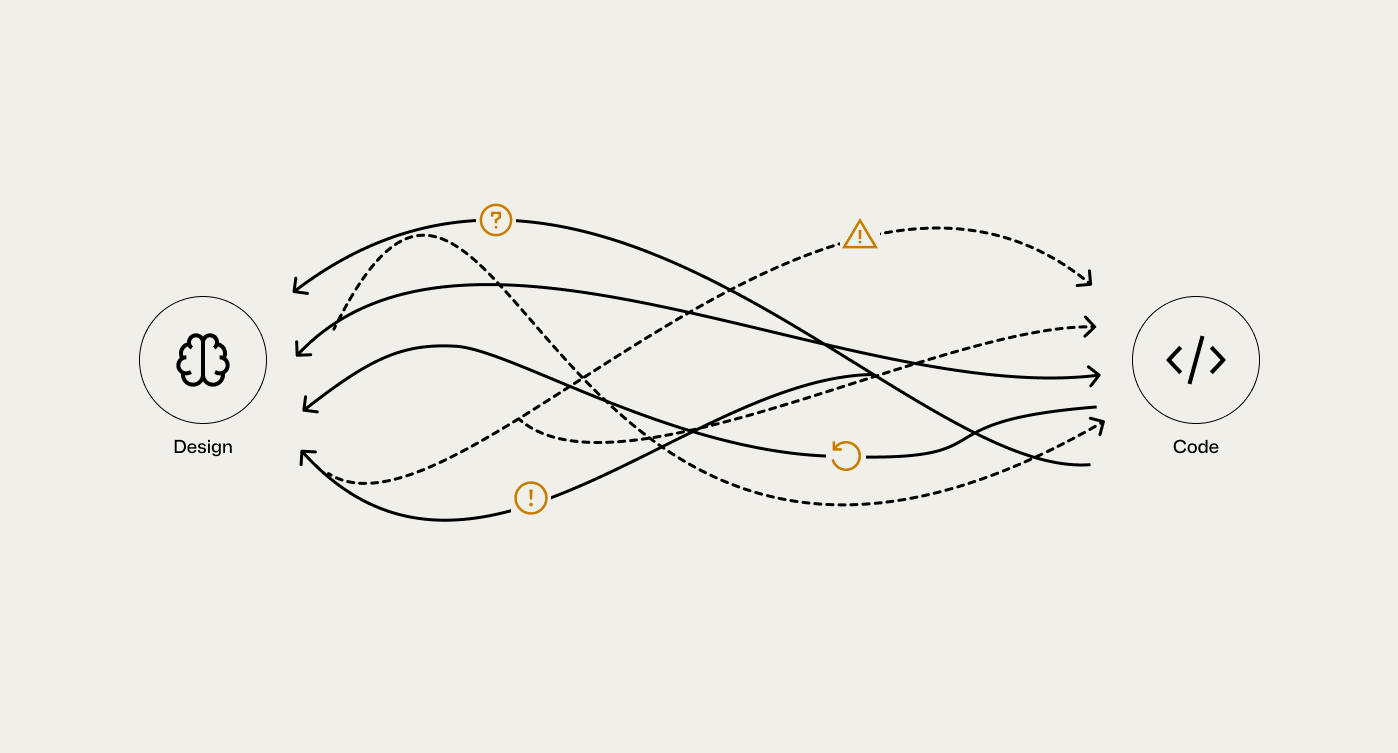
As the system scales across platforms, themes, and brands, this coupling leads to manual overrides, reduced readability for designers, and recurring regressions in production.
Figma exports valid JSON, but not usable tokens. The objective is to map Figma variable scopes and types to Style Dictionary token types. For example, a Figma LINE_HEIGHT variable with a Number type must resolve to a lineHeight token in Style Dictionary.
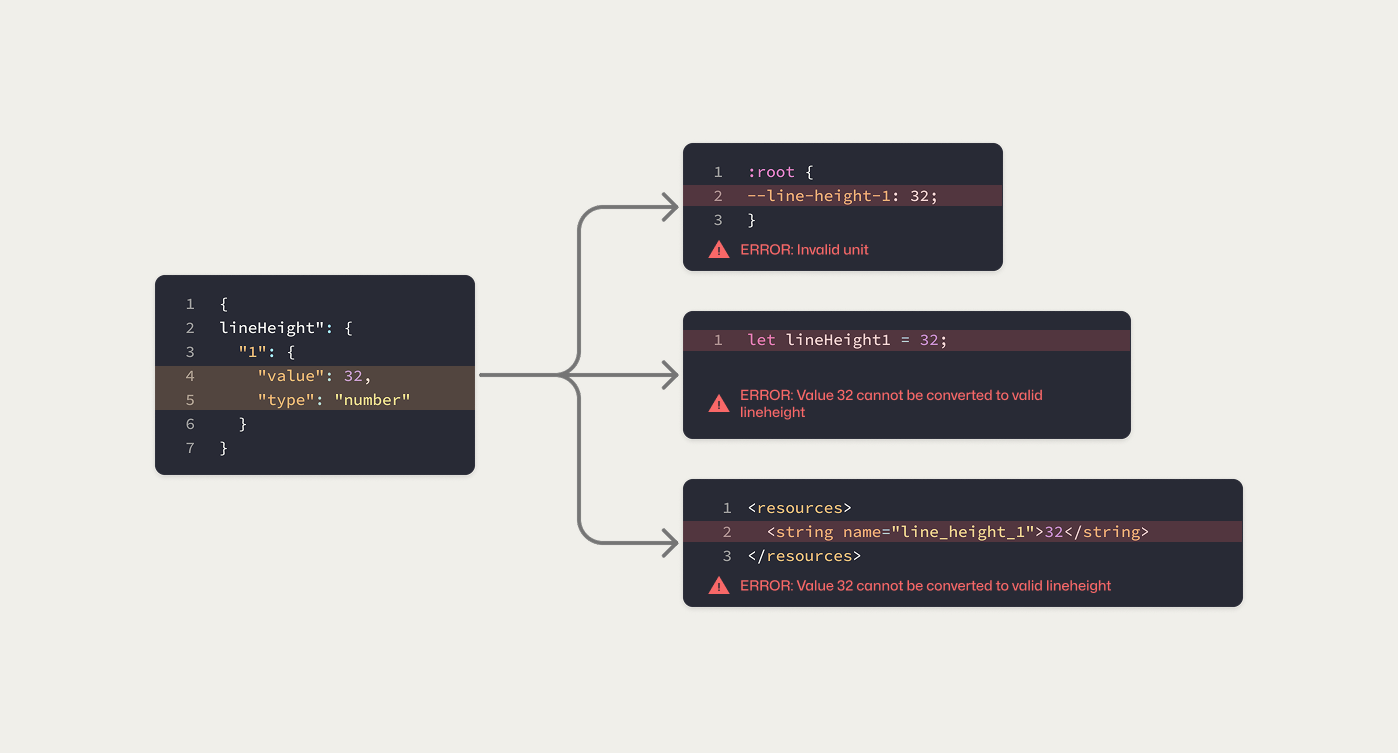
Implementing this mapping inside the transformation tool creates tight coupling and fragile logic. Each design tool defines types differently, while Style Dictionary is responsible only for platform-specific output generation, independent of any source tool such as Figma. Forcing input conversion into this layer increases complexity and degrades long-term maintainability.
lineHeight is the most complex and error-prone source of mismatch:
32, 150, or 1.5 (is it px, %, or a unit-less multiplier?)px, rem, em, dp, sp, pt) that require explicit conversionlineHeight models across platforms—CSS, iOS, Android, and Flutter interpret the same value differentlyEmbedding this logic directly into Style Dictionary would result in brittle, overloaded build scripts.
Supporting multiple brands and themes introduces combinatorial complexity. Manual workflows break down quickly.
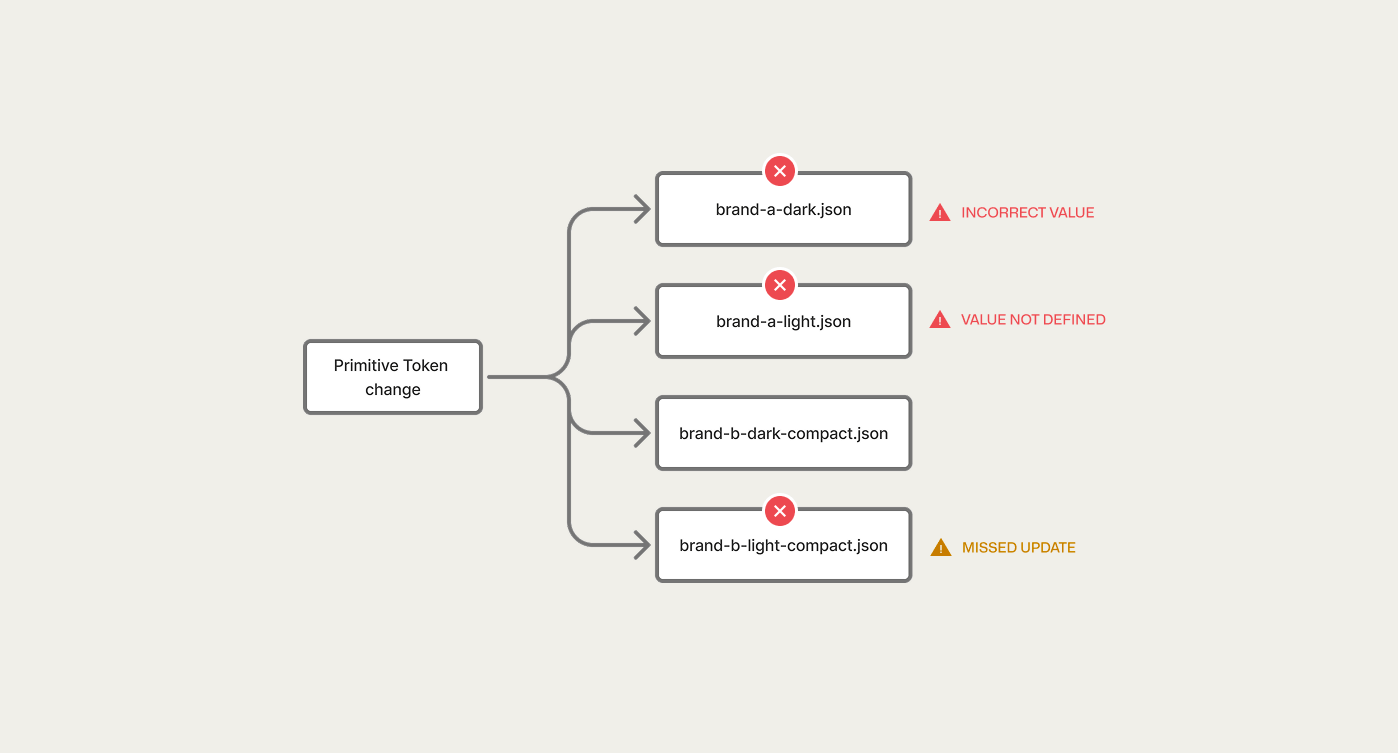
As a result, consistency becomes difficult to sustain.
The system is built on a strict, layered architecture where higher, more specific layer override lower, more abstract ones, This ensures predictability and control.
With a four-layer token hierarchy that controls complexity through clear responsibility boundaries.
Layered Model
deep-blue: #040273, spacing-1: 16px, radii-1: 8px etc.brand-500, brand-dark-500, spacing-md, radii-sm etc.background-primary. Designers work primarily at this layer.button-primary-background, button-padding, button-corner etc.Design operates at the semantic layer to preserve intent. Build tooling resolves those semantics down to primitives at output time. This separation keeps design decisions expressive while ensuring the final code remains minimal, deterministic, and platform-safe.
I built a small, independent tool to process JSON data before it reaches Style Dictionary.
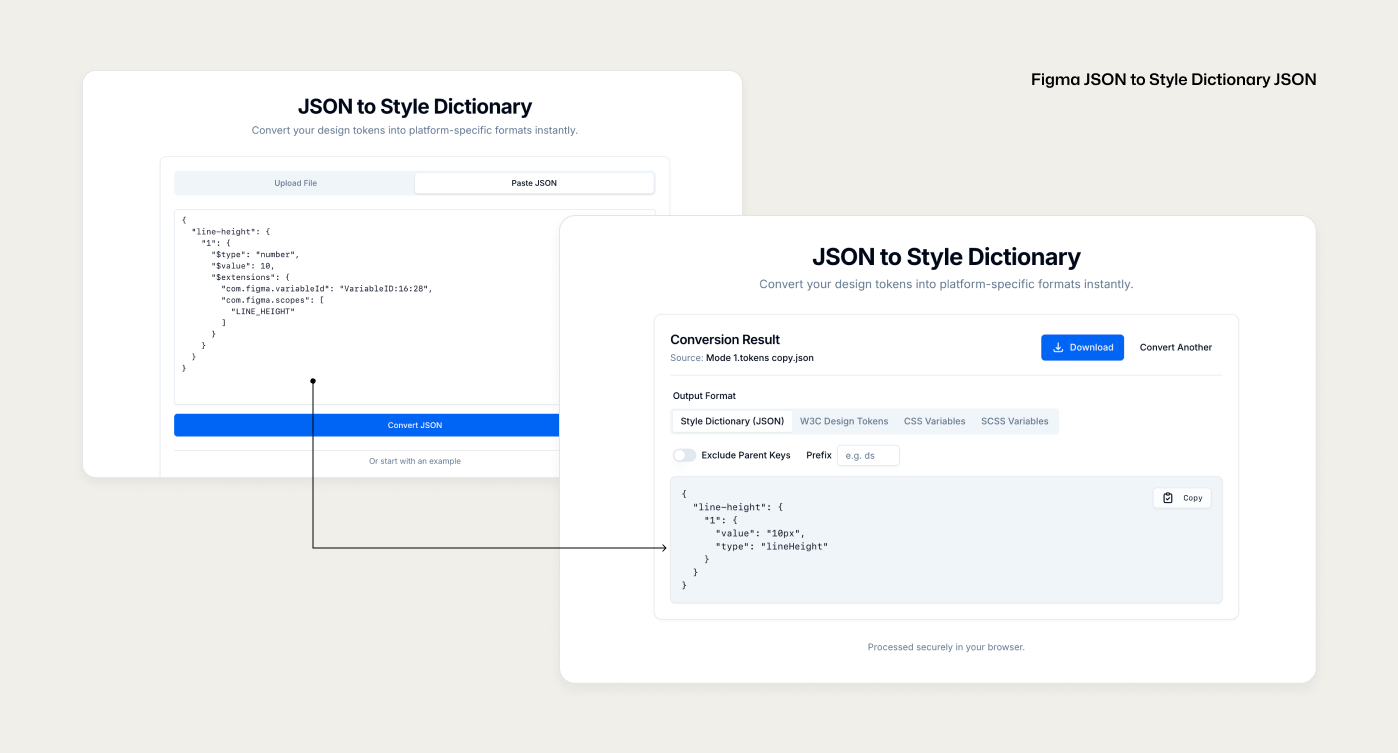
For sample:
The converter normalizes token values into explicit units before transformation. For example, a numeric LINE_HEIGHT value such as 32 from Figma is converted into 32px when a fixed line-height is intended, making the value unambiguous for code generation.
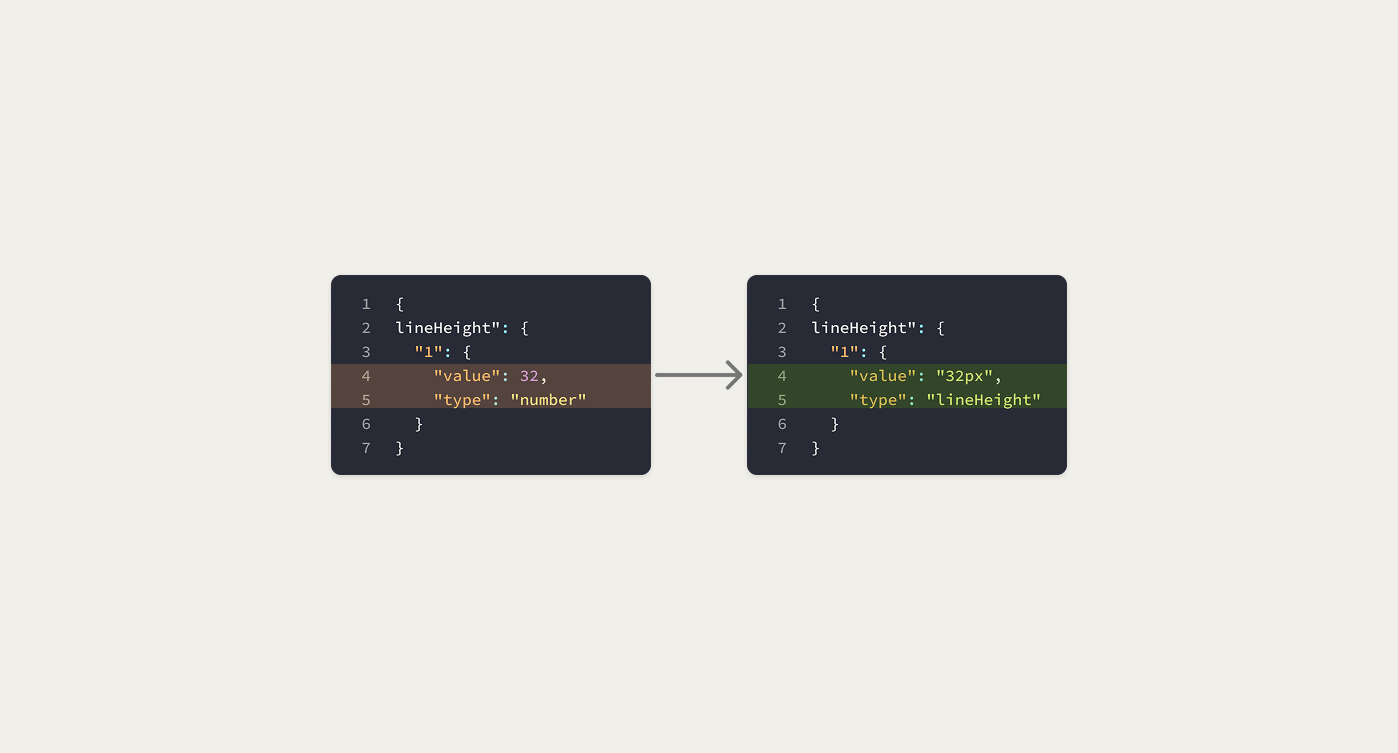
After normalization, Style Dictionary operates deterministically rather than defensively, using px as a stable base unit to transform values into platform-specific units such as rem, em, dp, sp, and pt.
This states intent, scope, and responsibility without overclaiming.
Instead of manually patching tokens, Style Dictionary is extended with custom logic that consumes converted JSON. All cleaning, and formatting happen at build time, not by hand.
Platform-specific transform bundles (custom/css, custom/android, custom/ios) enforce correct units and formats during output generation.
For Example:
A line-height value of 32px is transformed into 2rem for CSS, 32sp or 32dp for Android (sp for text size, dp for size dimensions), and CGFloat(32.00) on iOS, where the value is unitless and interpreted by the system as points (pt) based on device scale.
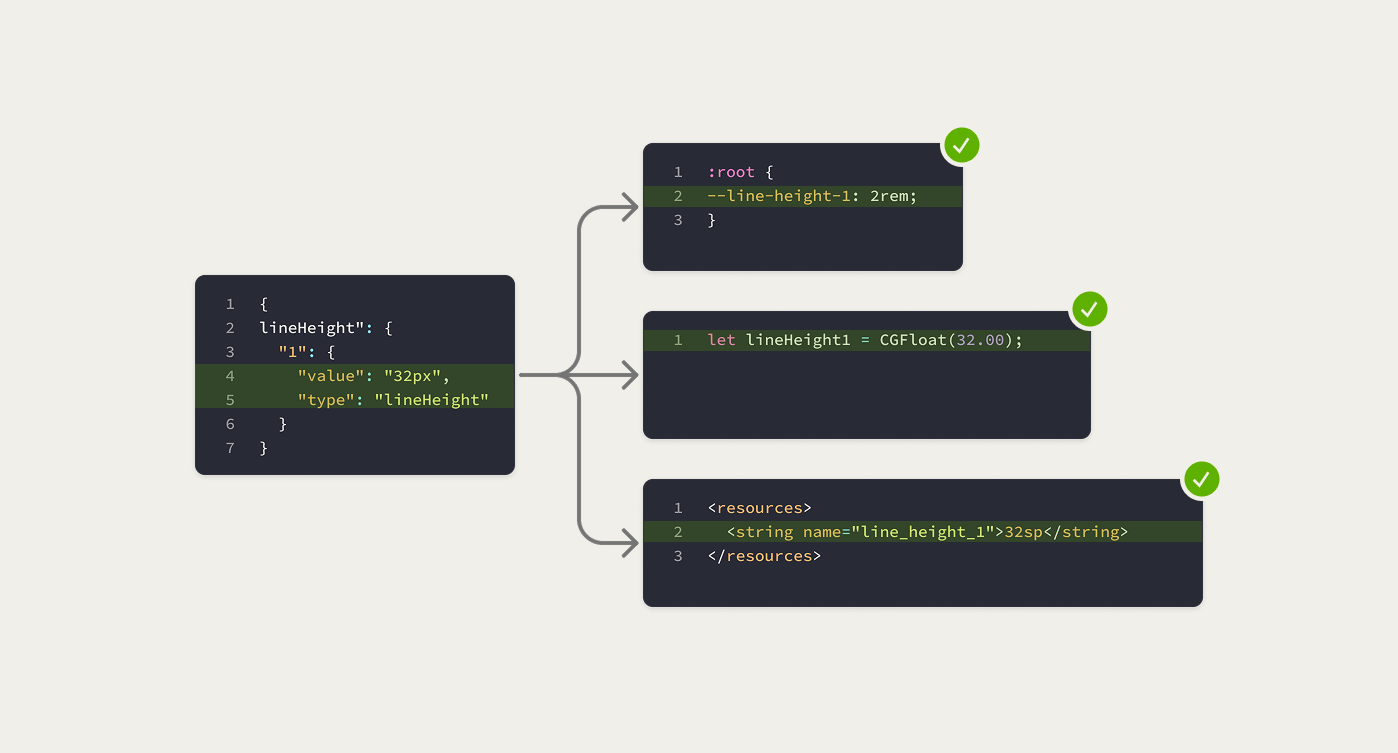
This preserves visual consistency while respecting platform-specific conventions.
NOTE: Figma not support percentage unit for Line Height
Normalized values are converted deterministically based on semantic meaning, not raw units.
For Example:
A line-height defined as 150% or as a unit-less 1.5 is normalized to 1.5 across platforms, allowing each platform to apply its native line-height calculation model.
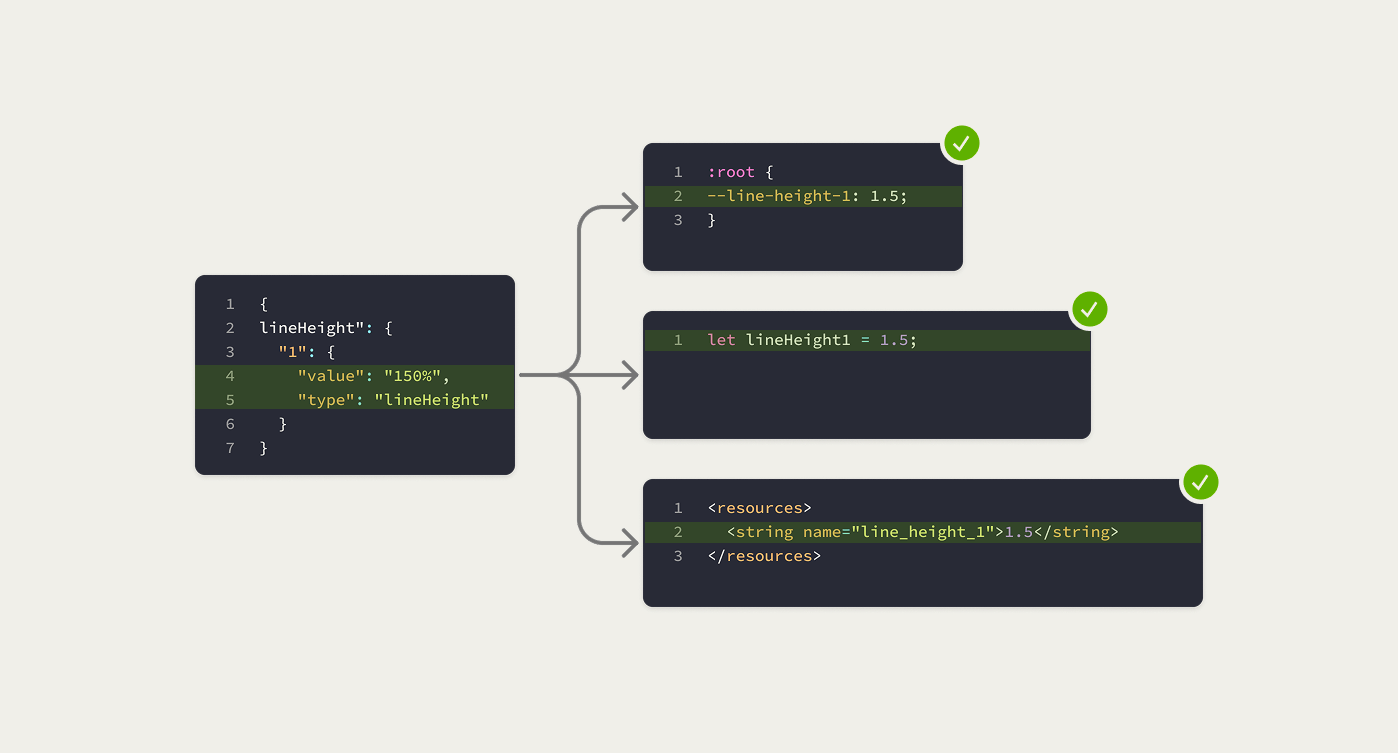
As a result, the system remains extensible and is not constrained by Figma’s value definitions.
A layered inheritance architecture isolates concerns to control complexity
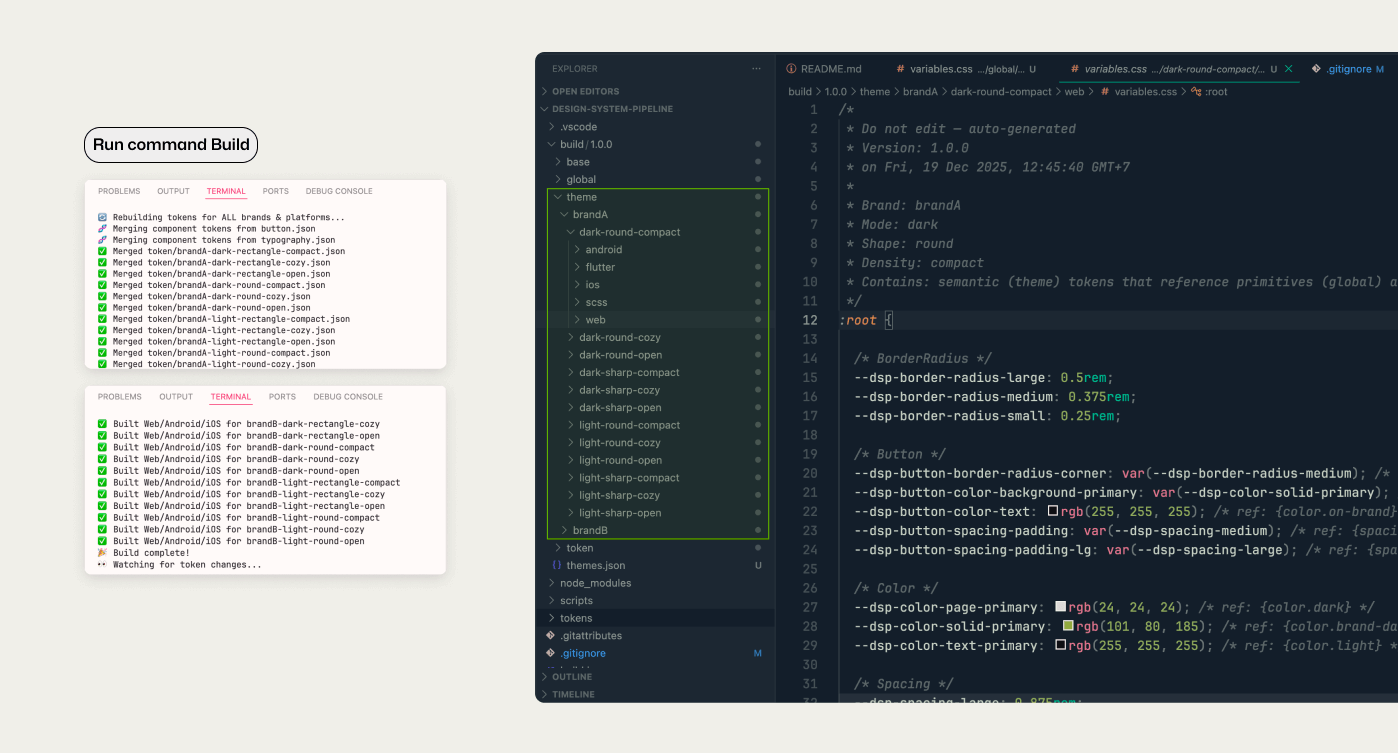
The pipeline generates tokens in a single pass per platform:
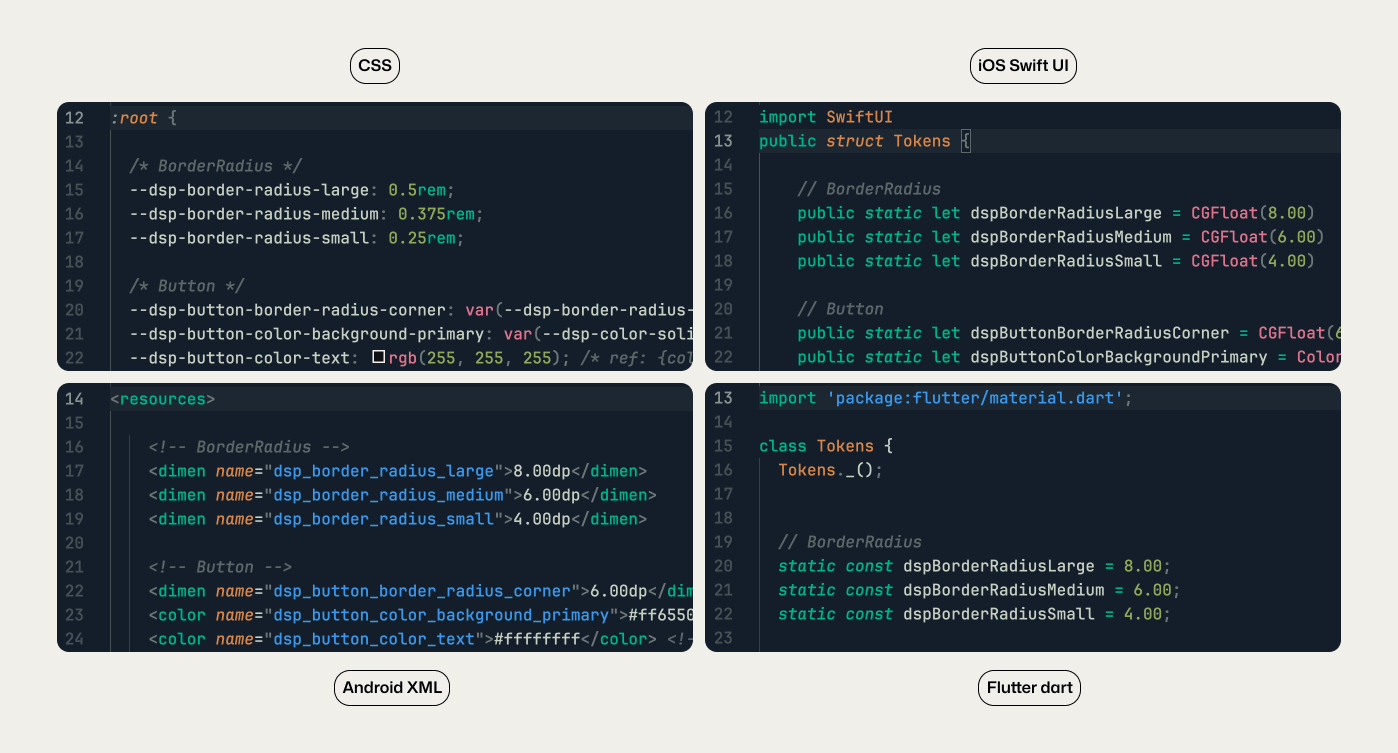
Each output includes:
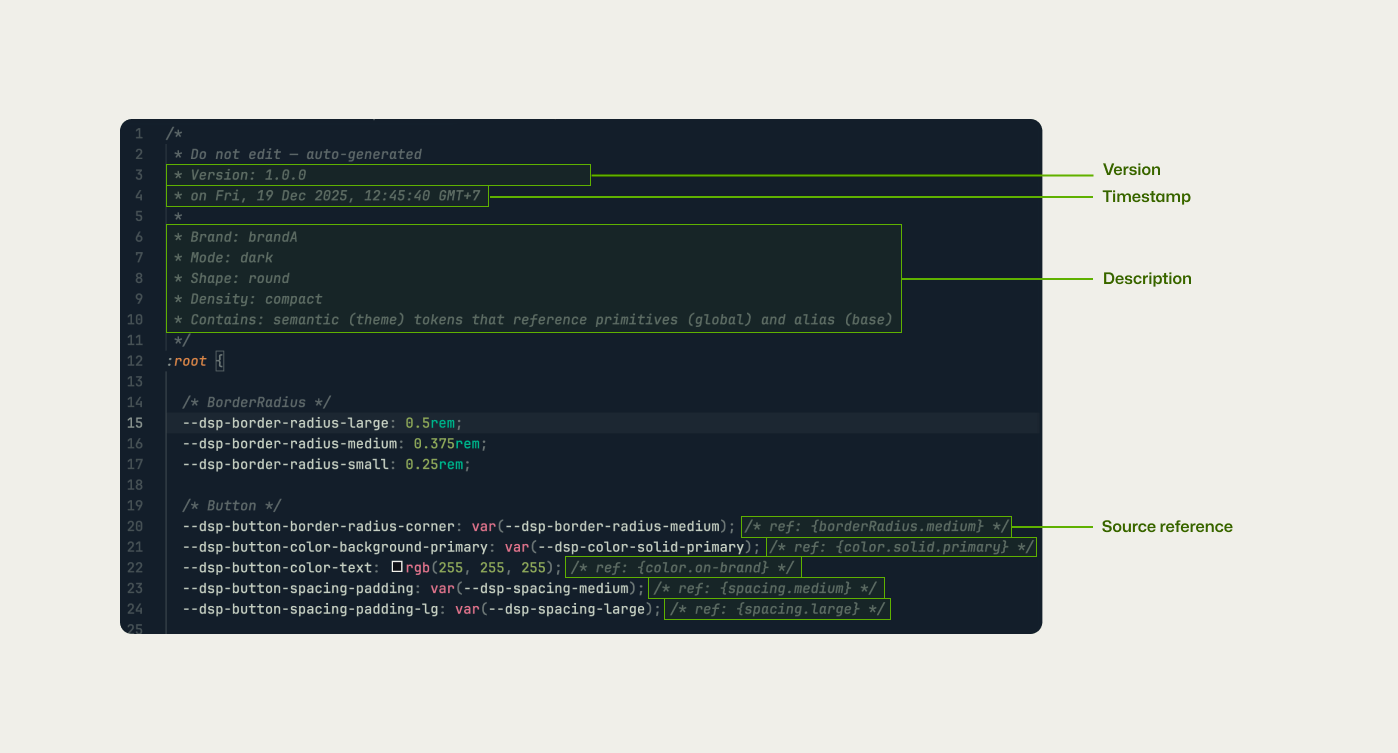
This metadata makes changes explicit, simplifies debugging, and supports long-term maintenance across teams and platforms.
Generate: Build or Change a value in the Tokens folder → run build → updates flow across the system.
Update: Add / Remove Tokens: Script syncs new value-added automatically and removes unused values.
Add Brand Theme & Versioning: Drop in a new token file → build → system generates all combinations.
Developers receiving the stylesheet CSS can easily select the desired theme variant. Updating styles is as simple as editing the text. The structure follows:
Theme = Brand Name + Mode (Light/Dark) + Shape (Base/Round/Rounded) + Density (Comfortable/Compact).
However, The system follows Style Dictionary’s required token schema. Token files must use agreed-upon structures, naming, and value types. This reduces flexibility when authoring tokens, but creates a clear contract between design and code. The tradeoff is intentional: less freedom at the input level in exchange for predictable outputs, easier maintenance, and consistent behavior across platforms.
This pipeline clarifies the limitations of traditional handoff and shows how systems reduce ambiguity. It reframes design systems as infrastructure rather than documentation.
As Design System designer, it shows how separating intent, normalization, and output creates scalability without fragility.
This side project is not about speed or replacing people with automation. It is about precision. When design intent is expressed as structured data, teams stop negotiating basics and start solving real product problems.
Design systems don’t succeed because of tools. They succeed because decisions survive the journey from design to code.